1 Plan a trip
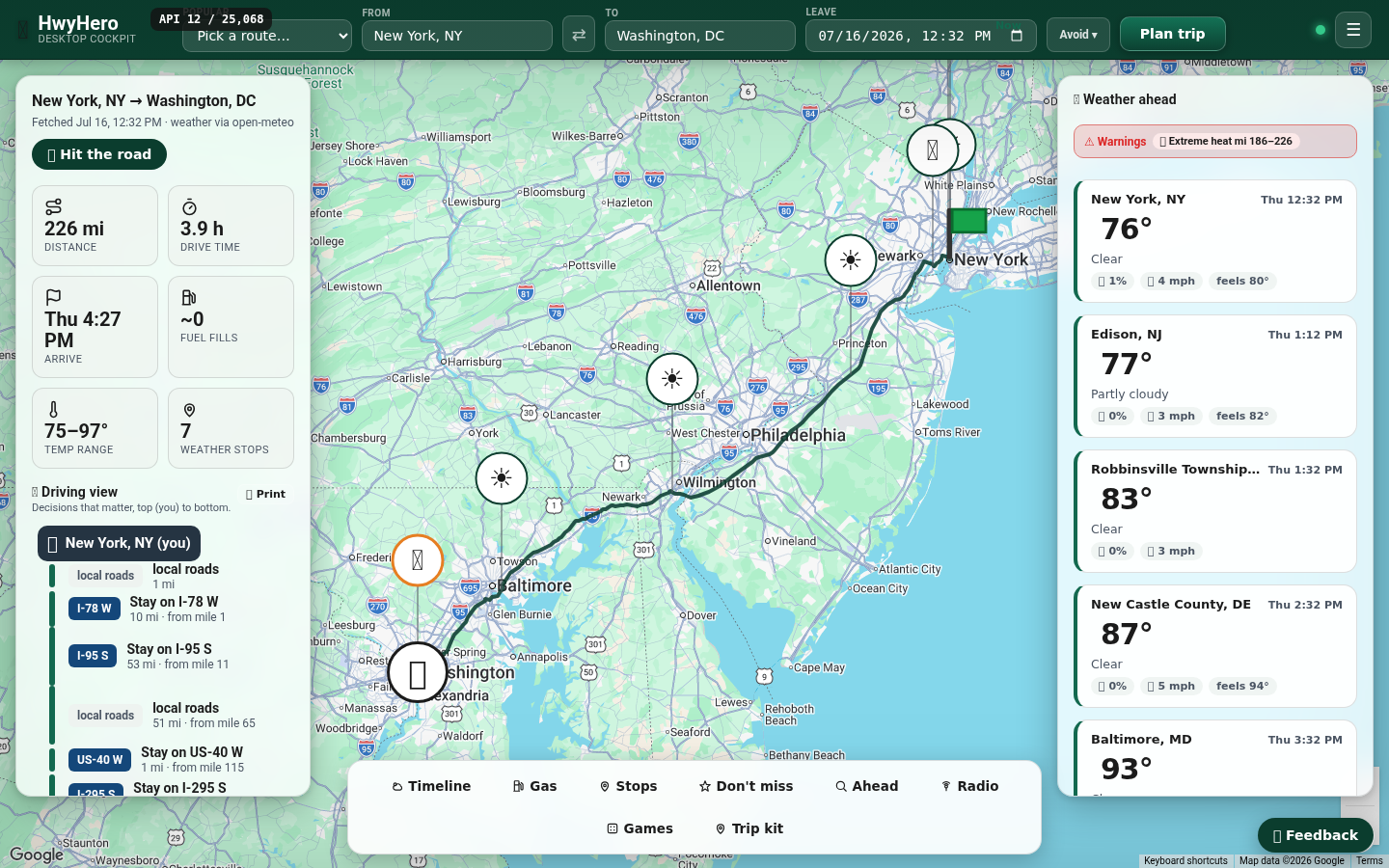
Type where you're starting and where you're headed in the top bar — or grab one of the popular routes from the picker — and hit Plan trip. You'll get the route on the map, drive time, arrival, fuel fills, and a driving view that reads top-to-bottom like the drive itself.
Planning something for next month? Set the Leave date. Everything adjusts to when you'll actually be on each stretch of road.
2 Weather at every ETA
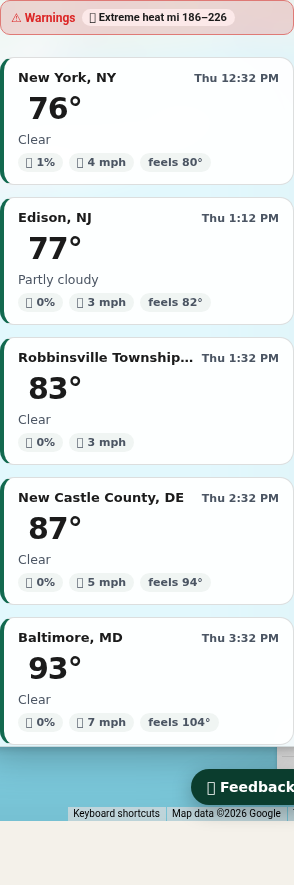
The right rail shows the forecast where you'll be, when you'll be there — not the weather right now. Each card is a spot along your route at your estimated arrival time, so a storm three states away shows up on the leg it will actually meet you.
3 Gas up smart
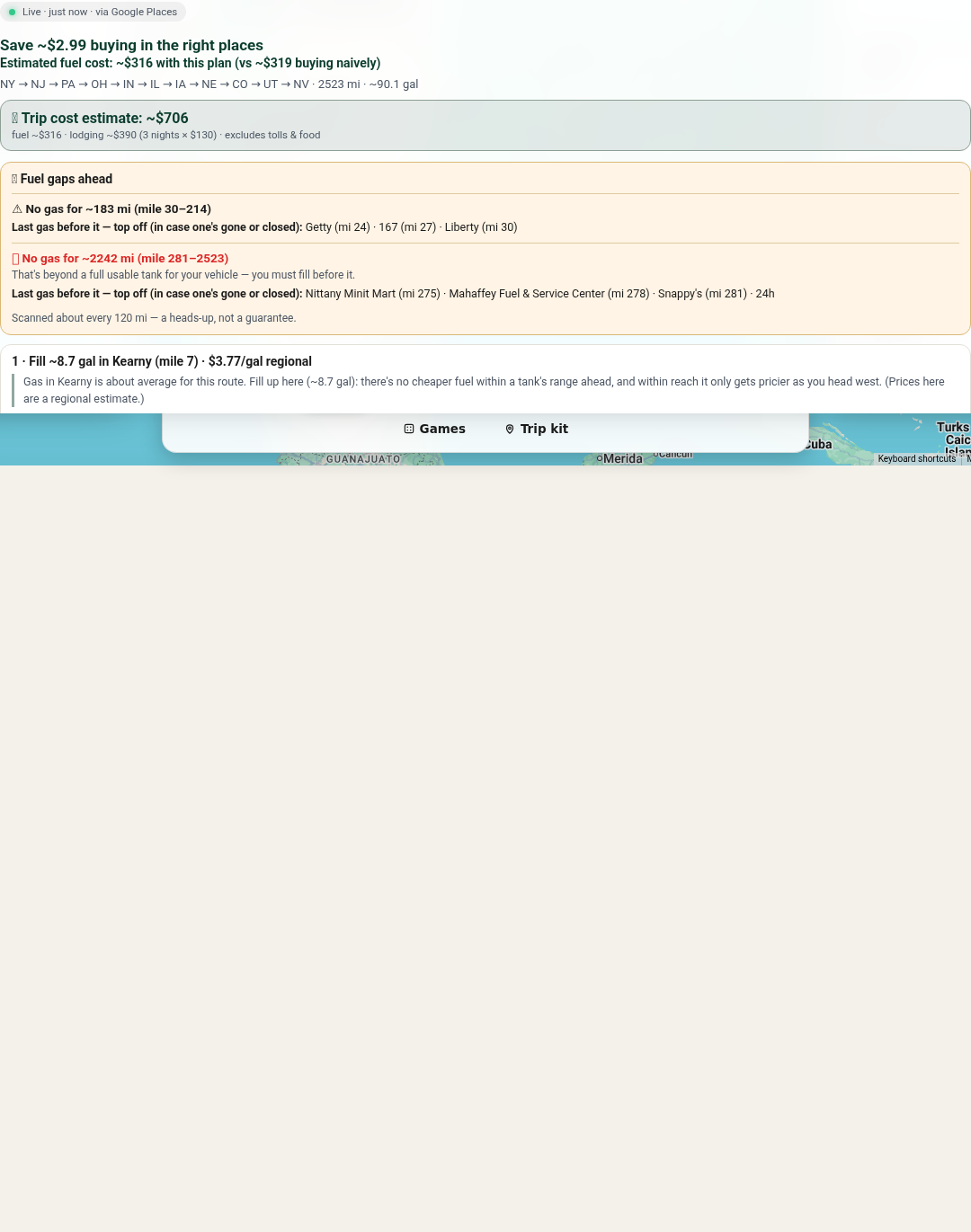
Open the ⛽ Gas tab and plan your stops. HwyHero prices the states along your route, plans the cheapest fill strategy, flags gas dead zones ("no stations for 100 miles — top off here"), and names real stations at each stop.
Prices marked ≈ are estimates from our price-history model — perfect for planning ahead. When your departure is close (within a day), stops get live prices instead.
4 Hit the road
When it's go time, press 🛣️ Hit the road on your trip card. Your gas stops refresh with live prices, and — if you choose to share your location — HwyHero can show where you are on the route and surface the right stop before you need it. One tap to end the trip when you arrive.
5 Everything else is in the dock
The bottom dock holds the rest of the cockpit: an hour-by-hour Timeline, Stops (rest areas, scenic overlooks), Don't miss roadside gems, Ahead search ("coffee in the next 30 miles"), local Radio that follows you down the highway, Games for the passengers, and your Trip kit. Add, remove and rearrange panels to taste — and pick a whole different look in Settings.

6 Print it for the glovebox
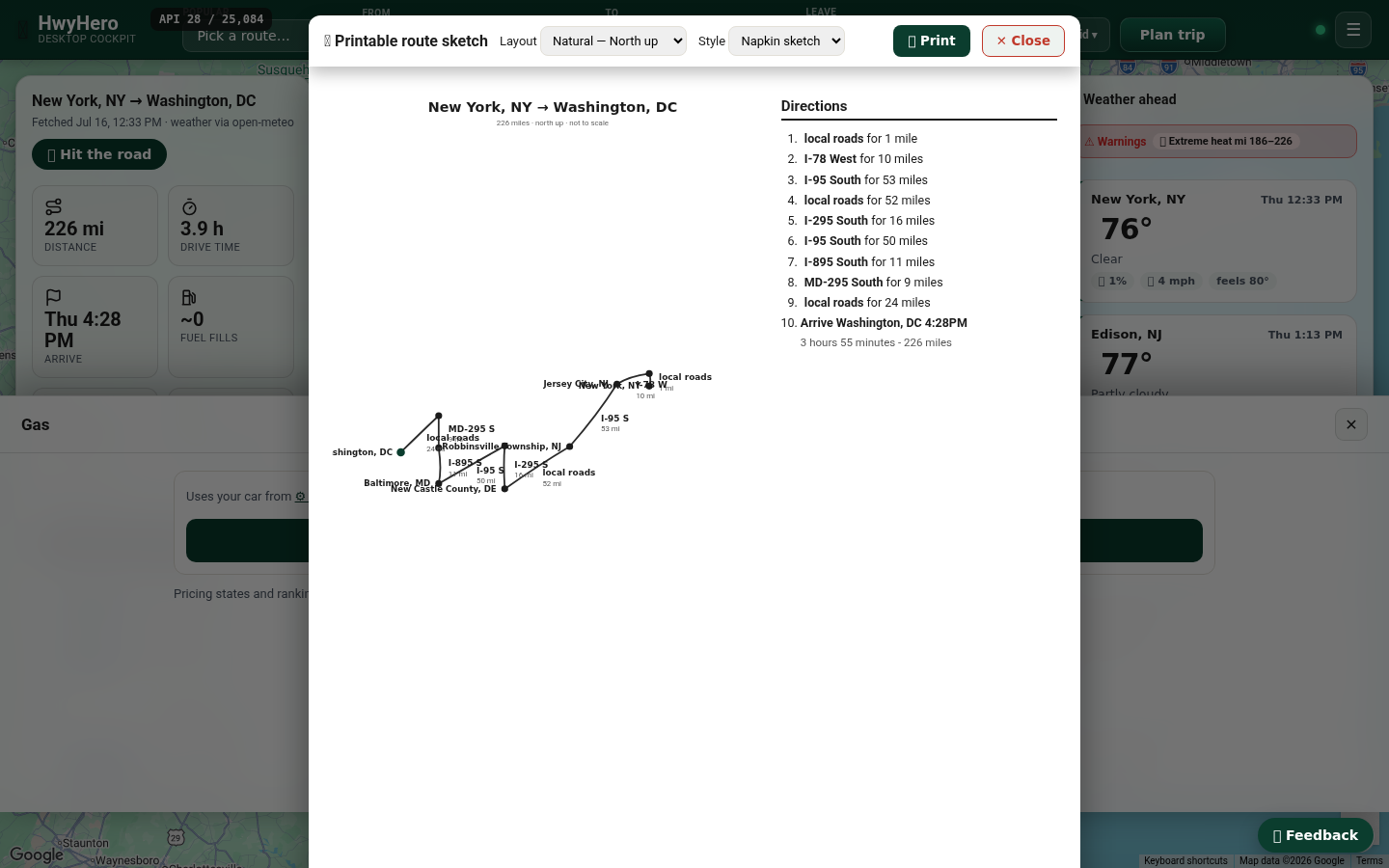
Hit Print on the driving view for a back-of-the-napkin route sketch — the decisions that matter, big and readable, in your choice of layout. Phones die; paper doesn't.
7 Meet in the middle
Meeting a friend who's setting out from somewhere else? Open Meetups, drop in both starting points, and HwyHero finds a meeting spot along the way — ranked by what you want there: cheap gas, a playground, bathrooms, restaurants, a dog park, good lighting. A slider sets the split (meet in the exact middle, or have one of you drive more — 60/40, 70/30), and a flexibility dial lets it wander a few miles for a better town. We mark the exact halfway both on the road and as the crow flies, then email your friend their half of the drive with one tap.
8 Share the trip
Tap 🔗 Share on any trip for a link, a one-tap phone share (AirDrop, Messages, nearby), and a QR code your passengers can scan right off your screen. Whoever opens it sees a read-only copy of the whole plan — route, weather, gas, stops — with no account needed.
9 Caravan — drive together
Rolling in a group? Start a Caravan and share the code (or its QR). Anyone who joins — no account, no planning on their end — sees your route from the shared copy and rides along. Pick a name and avatar (an emoji or your own photo).
Turn on Share my location when you're ready — it stays off until you tap it — and everyone sees where each car is, live, with distance and direction, as pins on the map. Propose a stop and the group votes 👍 / 👎; once it wins a majority it's added for everyone, with each car's ETA to it. Got a code from a friend? Enter it right on the home screen — no link to paste.
Good to know
- Can I join without an account?
- Yes. Anyone with a share link, a QR code, or a room code can open the trip and join a caravan — see the route, propose stops, play games — all from cached data, with no account and nothing to pay.
- Is my location shared automatically?
- Never. In a caravan your location stays private until you tap Share my location, and you can stop any time — leaving the caravan turns it off too.
- Do I need an account?
- You can browse popular trips without one. A free account lets you plan your own routes with live data — or try the passwordless option: we email you a code, no password to invent.
- What do the ≈ prices mean?
- They're estimates built from real price history — how each brand and station usually prices vs its neighbors — anchored to today's state average. Exact prices arrive when your trip is close enough for them to matter.
- Does it work offline?
- Trips you've planned stay available offline, and the app archives stable facts (routes, rest stops, radio stations) so the cockpit still works when the bars disappear.
- Something broken? An idea?
- The 💬 Feedback button on every page goes straight to us — screenshots welcome.